Ingredient Portioning
Operators loaded the robot’s silos by reading an Excel sheet: nothing was checked, nothing was recorded, and one prep took almost two hours. I designed a guided tablet flow that verifies every load and turns it into data the kitchen uses to plan portions.

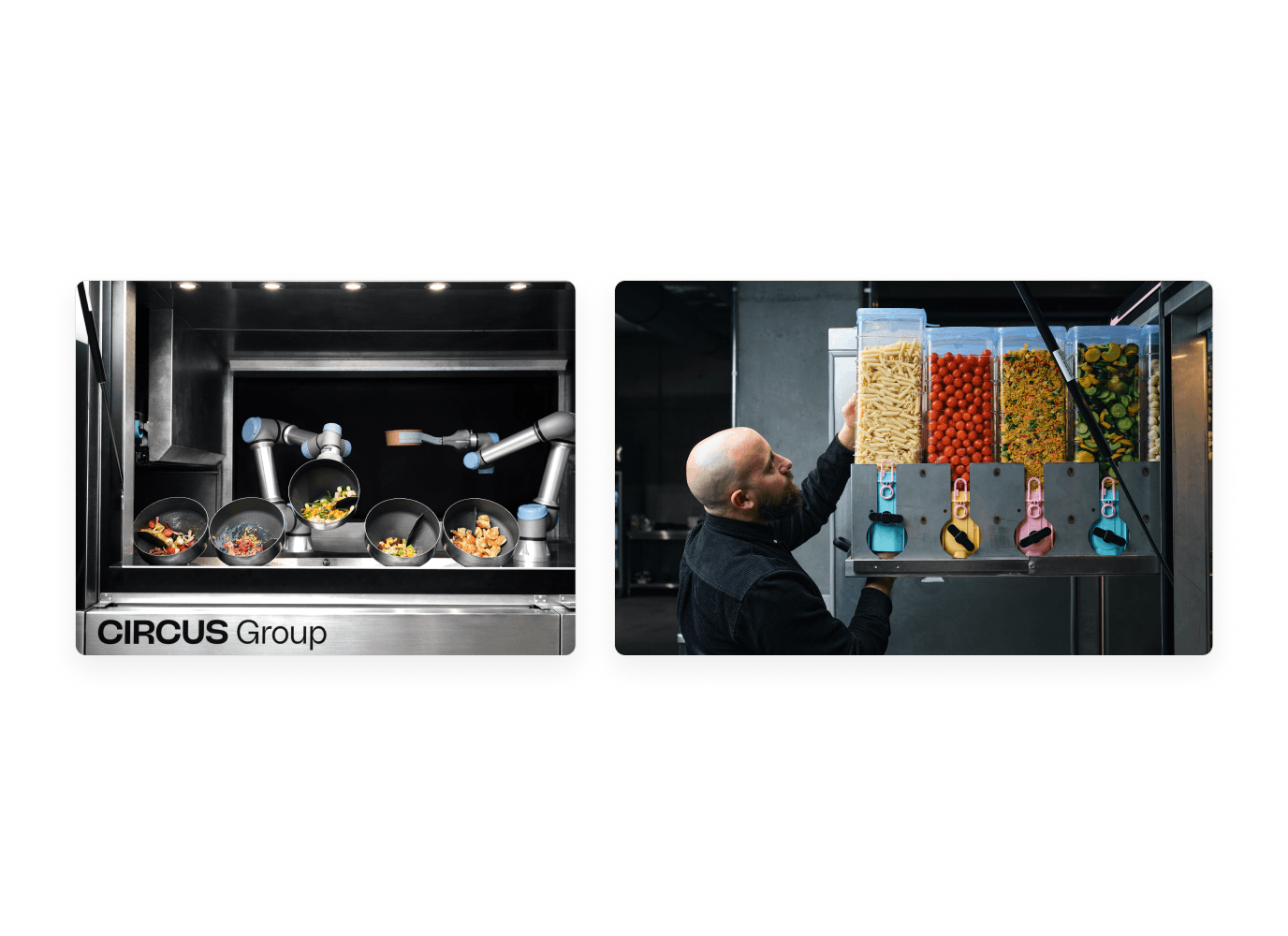
Circus runs robotic kitchens. A robot cooks and portions meals from ingredients stored in silos, but it can’t see what’s inside them. It only knows where each silo sits, so if the wrong ingredient or the wrong amount is in a slot, the recipe fails.
Filling those silos was a manual job. Operators read quantities from an Excel sheet, weighed each ingredient on a scale, loaded the silo and placed it on a trolley. Nothing confirmed the result and nothing was recorded. One prep session took almost two hours.
The goal was simple to say and hard to get right: every silo holds exactly what the robot expects, and we know it for sure.
I shadowed operators through full prep sessions. Three things stood out, and each one shaped a design decision.
They juggled four things at once
Excel, shelves, a scale and the silos, with no single place to follow. So the app shows one step at a time.
They worked from memory
The menu rarely changed, so operators stopped reading the sheet and relied on habit. So the app always shows what to load next, in the order the trolley is filled.
Mistakes stayed invisible
Small text, no validation, and slot positions that only existed in a spreadsheet. A wrong silo showed up only when a recipe failed. So every step is confirmed, and every silo gets a printed label with its slot number.

With product, operations and the culinary team, we listed everything the tool could do. Then we cut it down to the five steps that decide whether a silo is right: pick the ingredient, set the expiry date, weigh it, print the label, place the silo.
Everything else, from stock dashboards to automatic weighing, could wait. A small flow we could test in the real kitchen within weeks was worth more than a complete one designed at a desk.
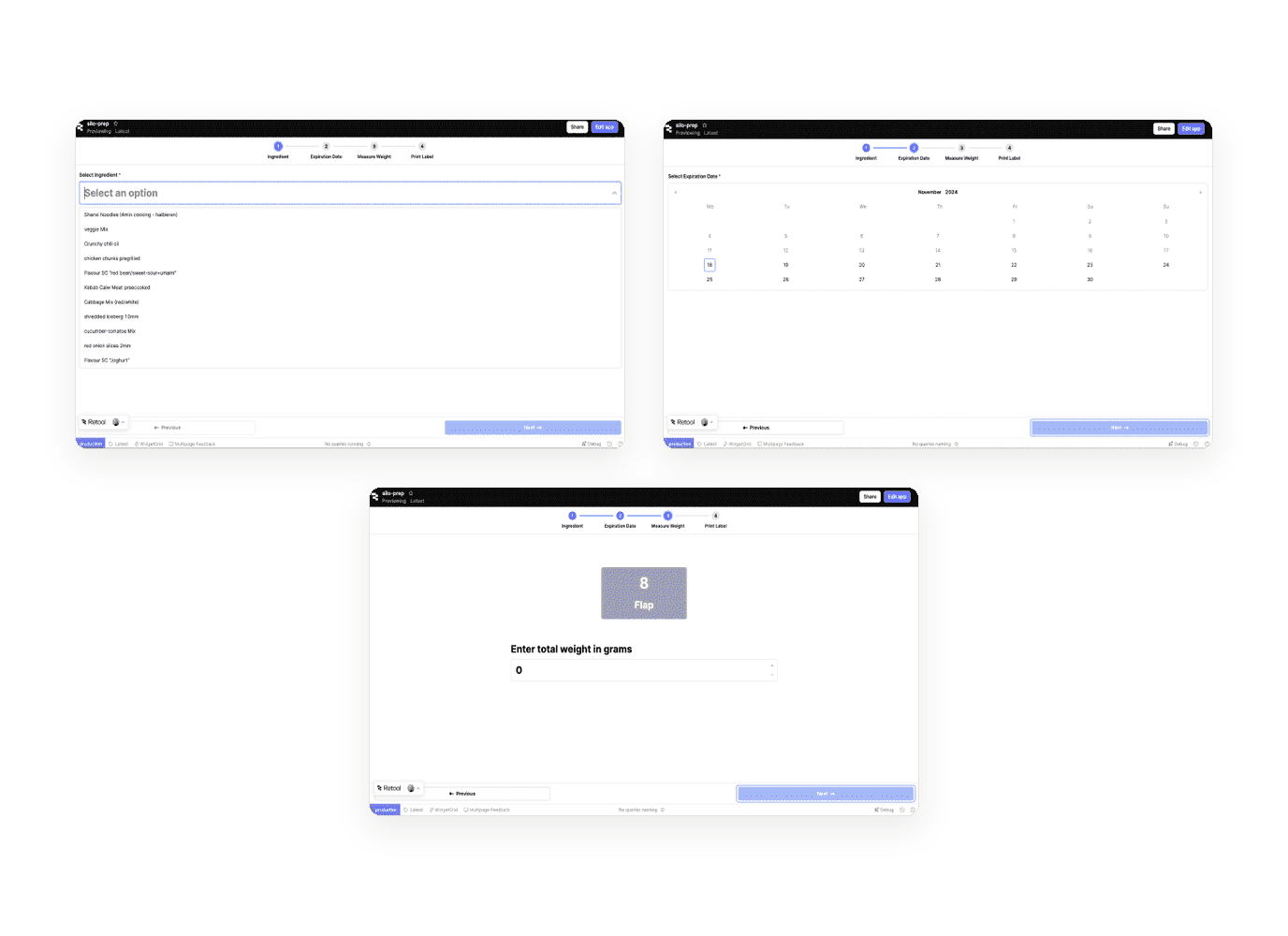
Each screen asks for one thing, with large touch targets, clear feedback and a progress count. A label preview lets operators check the details before printing, and the slot number tells them exactly where the silo goes.
Then we tested it in the kitchen, with real operators and real ingredients. Everyone completed the flow, and the session showed us what to fix:
Fewer taps. Once a label is printed, the app now moves straight to the next ingredient instead of waiting for an “OK”.
A way back in. If someone left the flow, they had to start again from the beginning. We added recovery states so work isn’t lost.
The room matters too. The scale sat too low for some operators, which led to an adjustable platform.

The app was only half of the job. I also worked on what happens around it.
The prep station. With the Operations team, I tested ergonomics and the layout of tablet, scale and printer. With the culinary team and the VP of Product, we designed a simple station for today’s manual process that can grow towards automation, including an adjustable tablet height for long sessions.
The trolley. Every trolley spot got a number that matches the label, so placing a silo becomes a matching task, not a memory task.
The loading order. With the Ops manager, I co-created a cart loading system based on slot positions, so each silo ends up exactly where the robot expects it.

Every load is verified. The exact quantity in each silo is weighed and confirmed in the app, instead of read off a sheet.
Prep is faster. A session used to take almost two hours. The guided flow removed the back-and-forth with Excel and the re-checking.
The kitchen has data. Each load is logged with ingredient, weight, expiry and time. Knowing what is in every unit tells the team how many portions they can make, and when to refill or hold back a recipe before an ingredient runs out.

Connect smart scales, so the weight is recorded automatically instead of typed in. That removes the last manual input and brings prep a step closer to the automation the robot already has.
The lesson I took with me: in a kitchen, the screen is the smallest part of the experience. The height of a scale or the number on a trolley can matter as much as any button.

